Stays with you
- Your raw save files. SpireVault reads them and never uploads them.
- Your Steam password. Sign-in happens on Steam's own page.
- Your Steam friends list. SpireVault never reads it.
Point SpireVault at your save folder once and get your win rate, streaks, best floor and every run, in under a minute. Want a co‑op partner? Sign in with Steam and tap Play.
SpireVault reads the .run files the game already writes after every run. It opens on sample data, so you can look around before you link anything.
%APPDATA%\~/Library/~/.local/
Nothing to install, no account.

Pick your SlayTheSpire2 folder, or drag it onto the page.

Your runs stay saved on this device. Next visit, your dashboard is already there.
It opens on sample data.
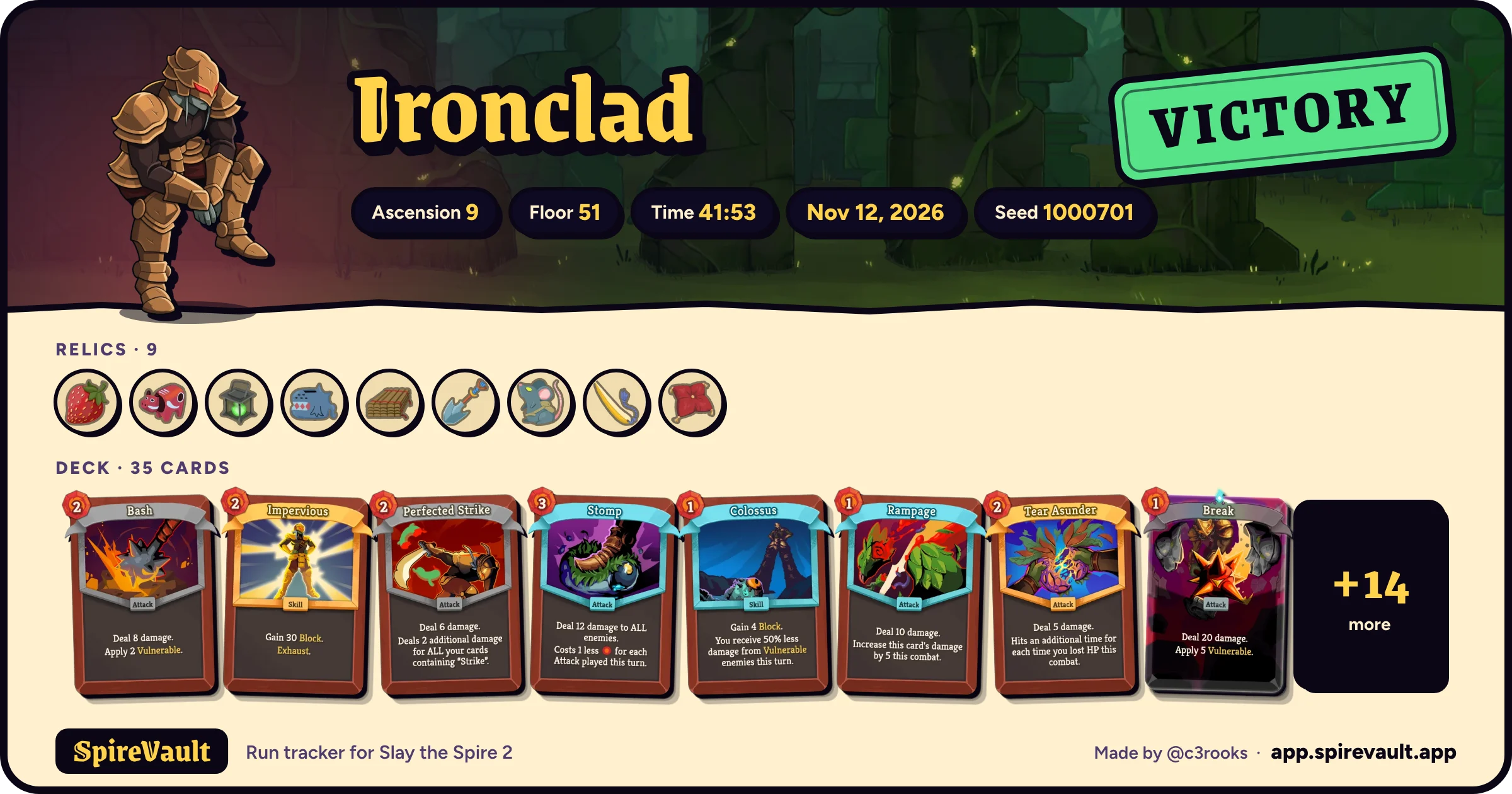
Everything here comes from your own save files. The pictures are the real app on sample data.

The new look This is how the app opens. Prefer the original? The palette button beside the logo switches looks.
Slay the Spire 2 co‑op goes through Steam friends, so you have to know someone before you can play with them. SpireVault matches you with whoever else is looking. The game itself still starts through Steam.
Official Steam OpenID. You type your password on Steam's page, never ours.
Pick a climber, or Any, and your game version. If someone on your version is already waiting, you're matched at once.
Turn pings on and you can close the tab. Your browser pings you when a player is looking; tap it to come back and play. If it can't ping, keep the tab open and listen for the chime.
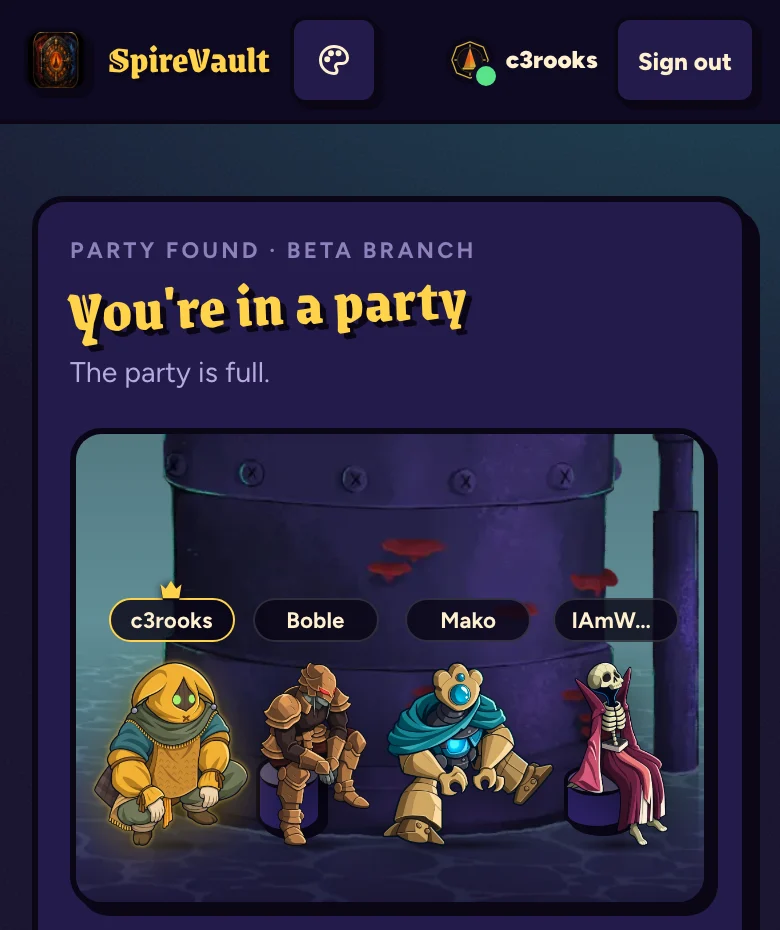
The game only lets Steam friends join, so the party card gives everyone an Add button and a Launch button. Up to four players. Whoever waited longest hosts.
SpireVault only reads the run files the game already wrote. It isn't a mod, and every line of it is on GitHub.
Signed in or not, the app also sends anonymous usage events (which tab you open, how many files you import, your browser type) to the SpireVault server and to Google Analytics.
The browser version is the whole app. The desktop apps open that same app in their own window.
Nothing to download. Windows, macOS, Linux, Chromebooks.
macOS 13 or later, Apple Silicon and Intel. First launch: right-click, then Open.
Windows 10 and 11, 64-bit, about a 2 MB installer. First launch: SmartScreen, More info, Run anyway.
The desktop apps include Run Coach (beta, bring your own API key). What is that? Rather build it yourself? The source and the steps are on GitHub.
Not answered here? Ask on GitHub
No. It's an unofficial, fan-made companion. Mega Crit owns Slay the Spire. SpireVault doesn't host games, route invites or replace anything they built.
No, it's not a mod. It doesn't change the game, inject into the game process, load DLLs or read game memory. It only reads the .run files Slay the Spire 2 writes to your save folder after each run, the same files you could open in a text editor.
Not for stats. Co‑op needs a Steam sign-in, which happens on Steam's page. Sign out any time and the session is gone.
$0. No tier, no premium, no supporter perks. I cover hosting (a few dollars a month) and the $14 a year domain. It's MIT licensed, so even if I disappear, anyone can fork it and keep it running.
Where the browser lets a page keep reading a folder, SpireVault re-reads yours in the background. In most browsers it can't, so click Refresh and choose the folder again.
Only if you sign in with Steam. Then a copy of your run history is kept under your Steam ID, so a new device or a clean install gets it back. Without signing in, your runs stay on this device.
A little, and never your save files. Signed in or not, the app sends anonymous usage events (which tab you open, how many files you import, your browser type) to the SpireVault server and to Google Analytics. Signing in adds what the privacy section lists, and nothing more.
Sign in with Steam, pick a climber and your game version (Stable or Beta), and tap Play. You're matched with whoever is waiting on the same version. If nobody is, you wait in line. A party holds up to four, and the player who waited longest hosts. The game only lets Steam friends join, so the party card has an Add button for each player. The run itself still starts in Steam.
Not if your browser can send notifications. Turn pings on and SpireVault pings you when a player is looking, even with the tab closed. Where a browser can't, keep the tab open and you'll hear a chime.
An opt-in floating panel in the macOS and Windows apps. Ask a question and it sends that, your current run (character, HP, gold, deck, relics) and a screenshot of the game to OpenAI or Anthropic, using your own API key. Run Coach talks straight to the provider: SpireVault's server never sees your question, your screenshot or your key, and nothing is billed by me. It doesn't touch the game. On macOS it is hidden from screen recordings by default; the Windows app does not hide it yet. How it works.
Same app. Both open app.spirevault.app in their own window. The Windows installer is about 2 MB because it uses the WebView2 that ships with Windows 11. It is unsigned, so SmartScreen asks once.
No. Anything saved under your Steam ID needs a session that is only issued after Valve has verified your Steam sign-in. The details are in SECURITY.md.
You don't have to. Your password goes to Steam; the server only gets the Steam ID that Valve hands back. The whole stack is on GitHub. Read it, build it yourself, file an issue if something looks wrong.
Yes. This site is static files, the web app adds a small Pages proxy, and the server is one Cloudflare Worker with a KV namespace and a Durable Object. The repo's Makefile deploys all three with wrangler. Bring your own Steam Web API key, plus VAPID keys if you want pings.
Yes. The new look is how the app opens now, and a note on your first visit shows where the switch is: tap the palette button beside the logo and choose Classic, or open app.spirevault.app/?ui=classic. Your choice is saved on that device, and the same button brings the new look back. Same runs, same stats, no re-import.
The web app works on a phone. There's also Ascension Companion, my separate run tracker for iPhone and iPad, on the App Store.